Android TV · tried on a Mi TV 4A Pro
My TV has the Sharingan.
My TV's home screen is now Itachi in the rain. His Sharingan eyes follow every app I move to, he blinks now and then, and lightning cracks across the screen every few seconds. There are no ads, and nothing on the TV was deleted. I built it with Claude, Anthropic's AI assistant. Here's how you can make it too.
The real TV: focus moves Netflix → Prime Video → YouTube → JioHotstar → Sony LIV, and his eyes follow.
Before and after
Same TV. A very different mood.
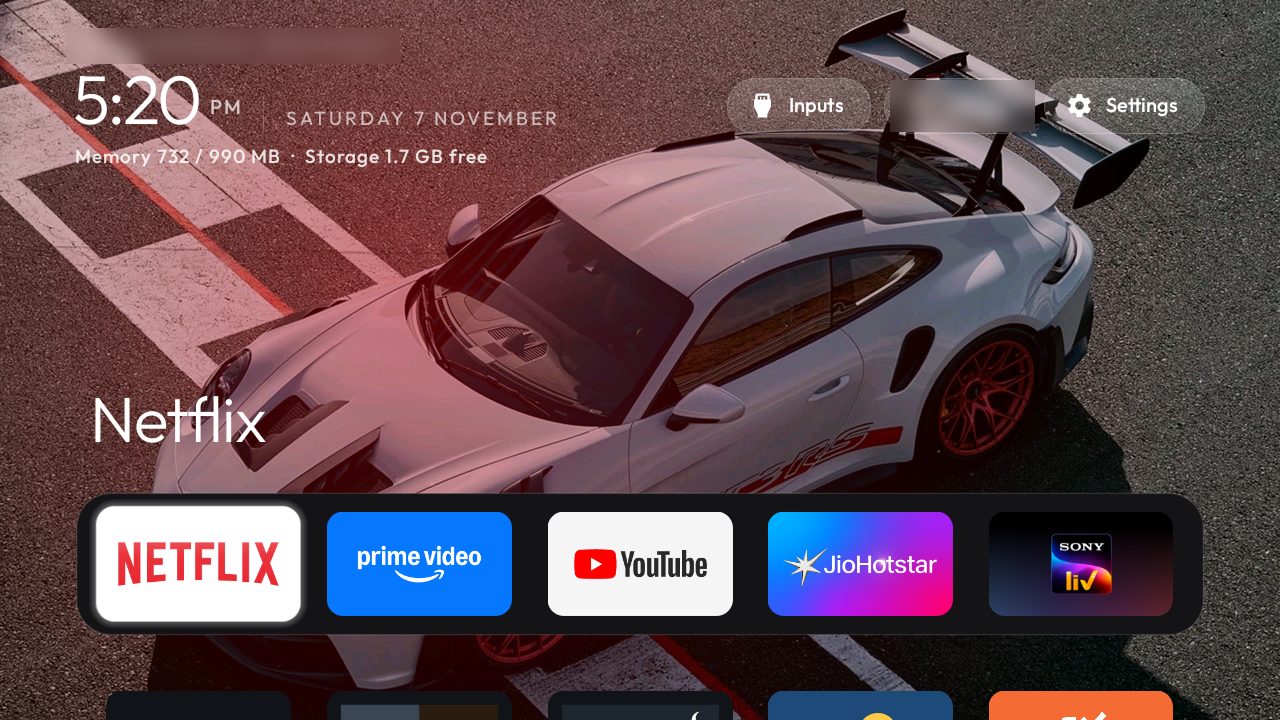
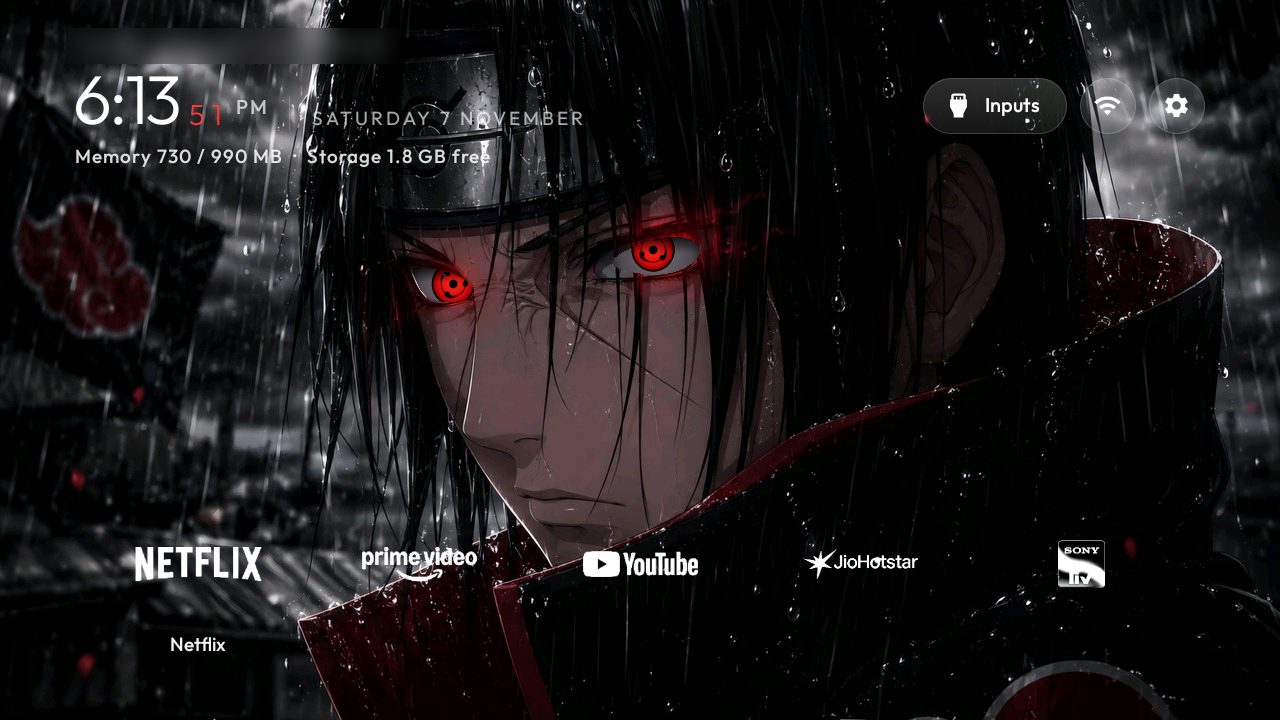 BeforeAfter
Drag across the screen to compare.
What it does
Take a look around
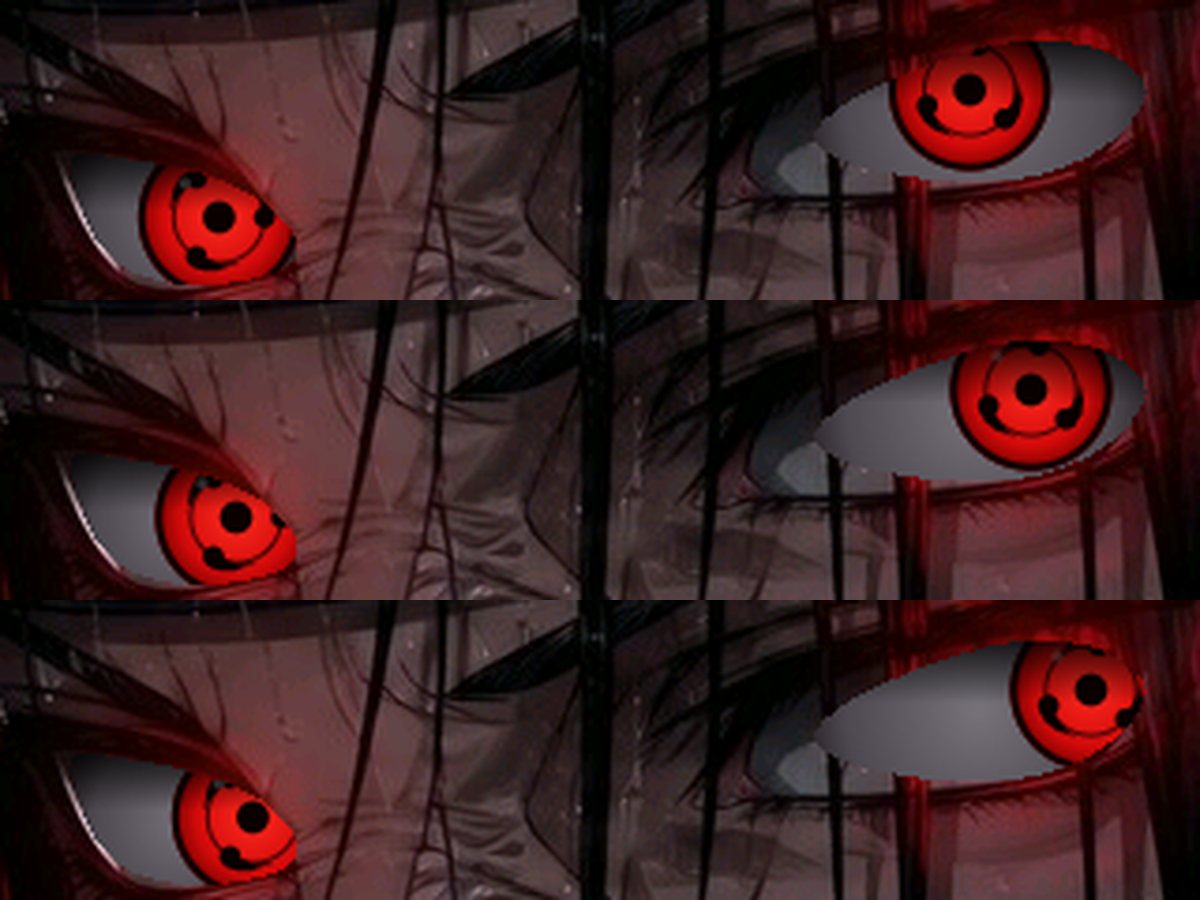
The eyes. His painted eyes were traced and the Sharingan redrawn inside them, so his own lids and lashes frame it. On the first app he looks far left, on the fifth far right, with a quick natural glance and small idle movements. He blinks every 10–15 seconds.
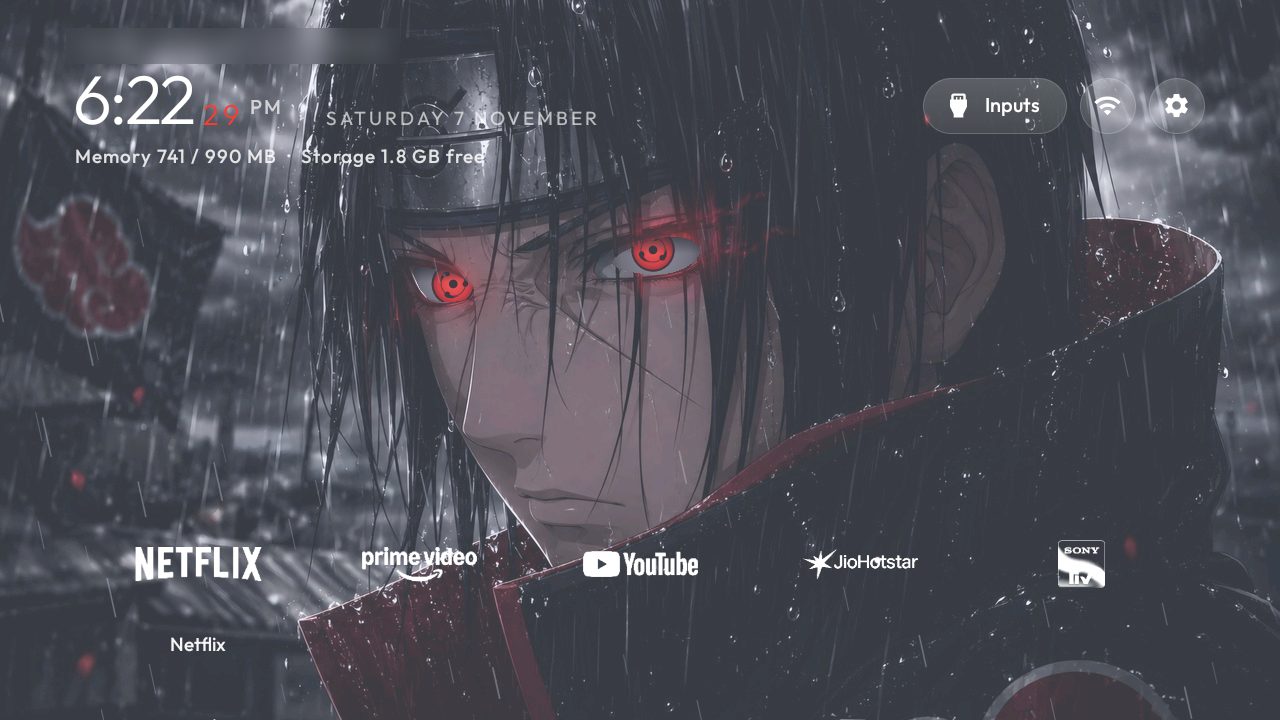
Rain and lightning. Live rain falls in the same direction as the rain painted in the picture, and lightning strikes every 6–10 seconds with a quick double flicker. It pauses by itself when you open an app.
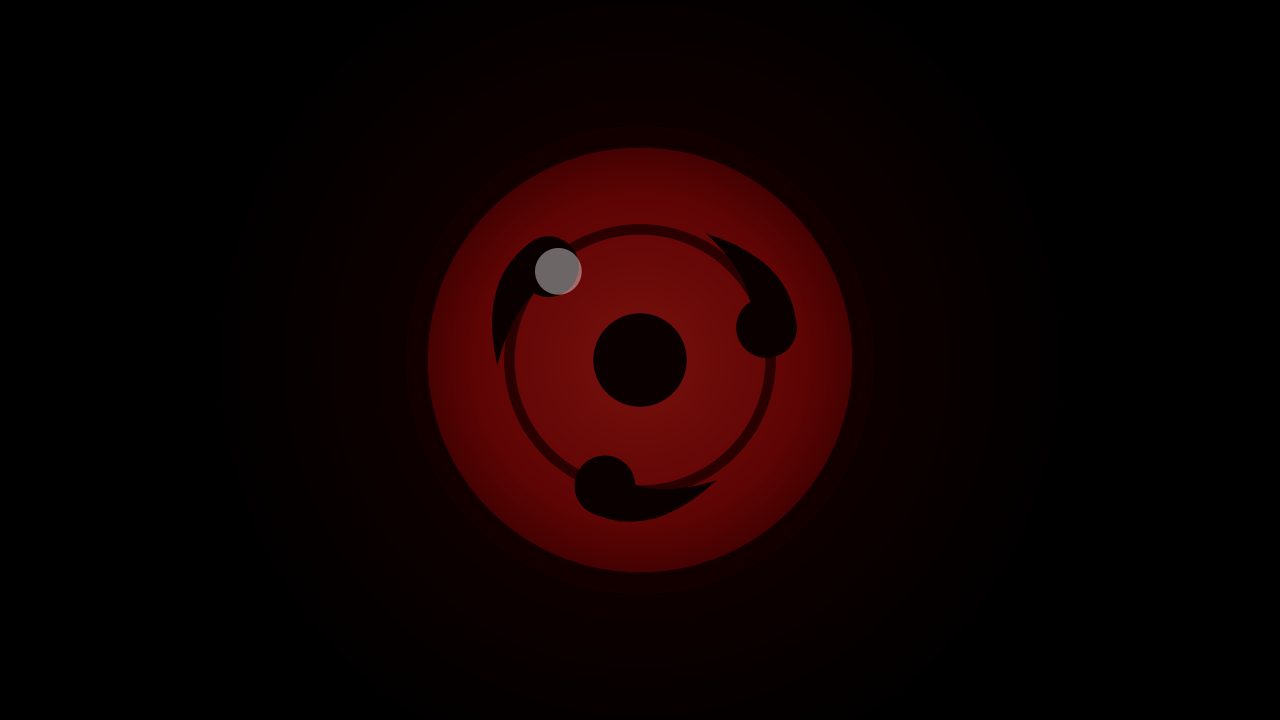
Sharingan spin. When the TV starts or wakes from standby, a Sharingan spins up, faster and faster, then fades into the home screen.
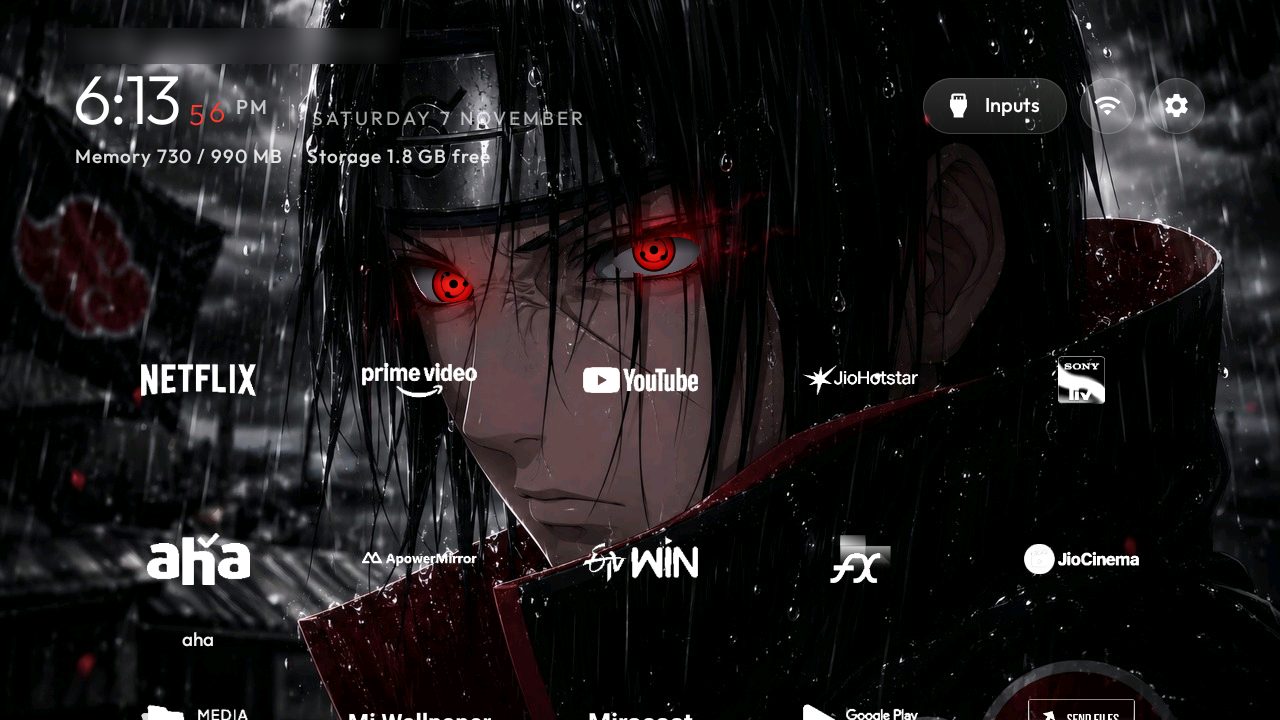
White logos. Every app is just its logo in white, with no boxes. The app you're on grows and shows its name, and it zooms open when you press OK. The clock's seconds roll like a dial, in red.
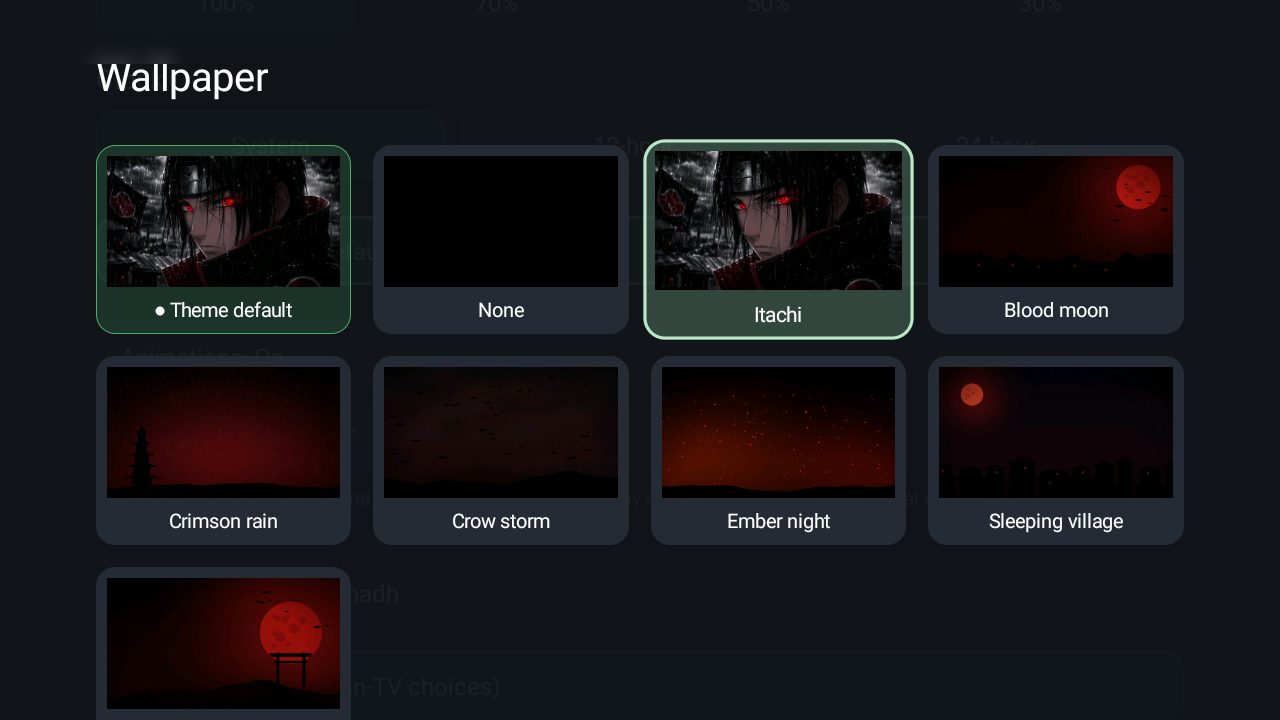
Wallpapers. Pick Itachi to keep him on screen, or let dark rainy scenes rotate every 5 minutes. All from the remote: ☰ › Launcher settings › Wallpaper.
Check first
Will it work on my TV?
Pick your TV's brand.
Most smart TVs sold in India run Android TV or Google TV, and those work.
Yes for Android TV and Google TV sets. No for Samsung (Tizen), LG (webOS) and Roku TV.
My session with Claude
How Claude built it
My TV was already ad-free from my last guide. This time I gave Claude Code one message and my Itachi wallpaper. Claude did the rest, showing me each change on the TV first.
What to type (change the IP to your TV's)
Clone github.com/Gathin23/cleanyourtv and follow PROMPT.md for my TV at 192.168.1.50. Then make an Itachi Sharingan home screen on its launcher with my wallpaper (attached): cut out his eyes and redraw them as Sharingan eyes that follow the selected app, blink every 10–15 seconds, rain that matches the picture with lightning every 6–10 seconds, white logo-only app icons with no boxes, the selected app grows with its name below, clock seconds that roll in red, a Sharingan spin when the TV wakes and a zoom when an app opens. Back up my current home screen first, and preview each change on the TV.
Backed up my old home screen
Saved the launcher I had and its wallpapers, so one command brings it all back.
Built each effect and showed it on the TV
White logos, rolling red seconds, the spin, the zoom-open, then rain and lightning, with a screenshot after every change.
Traced Itachi's eyes
Marked the exact outline of each eye in the wallpaper so the Sharingan moves inside his own eyes, with the same tilt.
Fixed what I didn't like
I asked for slower blinks, eyes that stay inside the eye, rain in the picture's direction and lightning every 6–10 seconds. Claude changed each one in a few minutes.
Kept the TV fast
Measured the processor use and thinned the rain until it was light enough for a 1 GB TV.
Locked the TV again
Debugging switched off and checked that the TV no longer accepts connections.
About an hour
How to do it
You need the TV remote, a laptop (Mac or Windows) on the same Wi-Fi, Claude Code and an Itachi wallpaper you like. Tick the steps as you go.
-
On the TV open Settings › Device Preferences › About, select Build and press OK 7 times until it says you're a developer.
-
Go back to Device Preferences › Developer options and switch on USB debugging.
-
Find it in Settings › Network & Internet under your Wi-Fi. It looks like 192.168.1.50.
-
A landscape picture where both eyes are clearly visible and facing you works best. The bigger, the better.
-
Install it from claude.com/claude-code and sign in. It needs a Claude plan that includes Claude Code.
-
Copy the message from the box above, add your TV's IP address and attach your wallpaper.
-
Accept Allow USB debugging? on the TV. Claude shows each change on the TV; tell it what to tweak, in plain words.
-
When you're happy, turn USB debugging off again in Developer options. Claude can check the TV is closed.
Your ticks are saved in this browser only.
Questions
Good to know
Is it a video wallpaper?
No. It's one still picture with the eyes, rain and lightning drawn live on top, which is far lighter than a video and reacts to your remote.
Will it slow my TV down?
On my Mi TV with 1 GB of memory it's smooth. The rain uses some processor only while the home screen is showing and stops completely inside apps.
Can I go back to my old home screen?
Yes. Claude backs it up first, and one command puts it back with your old wallpapers.
Can I use another character?
Any picture with clearly visible eyes works the same way; Claude marks where the eyes are. The rain and lightning suit dark, stormy pictures best.
Will Netflix, Hotstar and YouTube still work?
Yes. Only the home screen changes; every app works as before.
Does it cost anything?
The open-source launcher is free. Claude Code needs a paid Claude plan.
Do I need to know coding?
No. I only wrote plain requests like "make the blinks slower" and Claude did the rest.
My TV isn't Android. Can I still do this?
No. Samsung, LG and Roku TVs don't allow a new home screen.
Shared for free from my own TV. Built with Claude, Anthropic's AI assistant, on the open-source cleanyour.tv launcher. Itachi is a character from Naruto by Masashi Kishimoto; use a wallpaper you have the right to use. Know an anime fan with an Android TV? Send them this page.